| Status | ||||
|---|---|---|---|---|
|
...
|
UX to use excel functions has been partially changed since version 2.4.0 버전부터 일부 변경되었습니다. . As for using excel functions in version 2.3.0 버전의 엑셀함수 사용은 "엑셀함수사용, please refer to "Using Excel Function (2.3.0)" 페이지를 참고해주세요page.
사용가능한 함수목록은 "지원함수" 페이지를 참고하세요.
...
- 셀에 '=' 문자 입력시 셀 좌표 노출되며 함수 입력 모드로 변경됩니다.
- '=' 문자 제거시 셀 좌표 제거 되면서 일반 텍스트 입력상태로 변경됩니다.
주의)
문자열에 포함된 = 문자가 맨 앞으로 온다고해서 함수 입력 모드로 바뀌지는 않습니다.
예를 들어 123=456 에서 123 을 제거한다고해도 함수 입력 모드로 되지 않습니다.
...
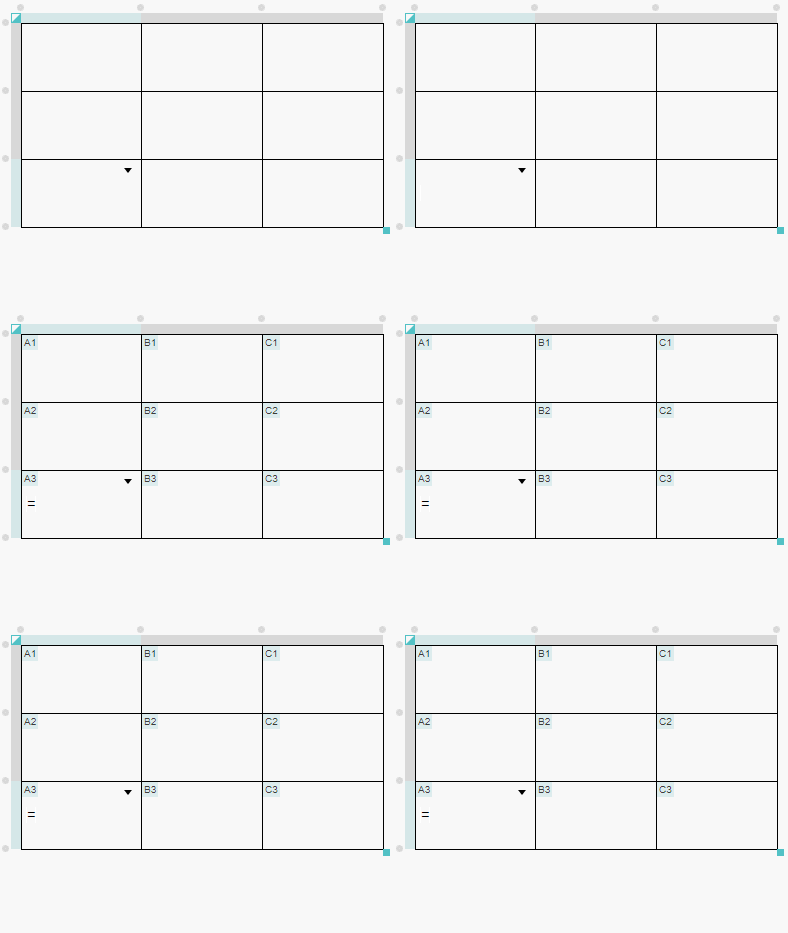
...
- Enter 키 동작시 입력된 함수 계산되어 그 결과가 표시되며, 셀 셀렉션으로 변경됩니다.
...

...
- 함수로 판단되는 셀에서 캐럿 빠져나가면 수식 계산되어 그 결과가 표시됩니다.
...
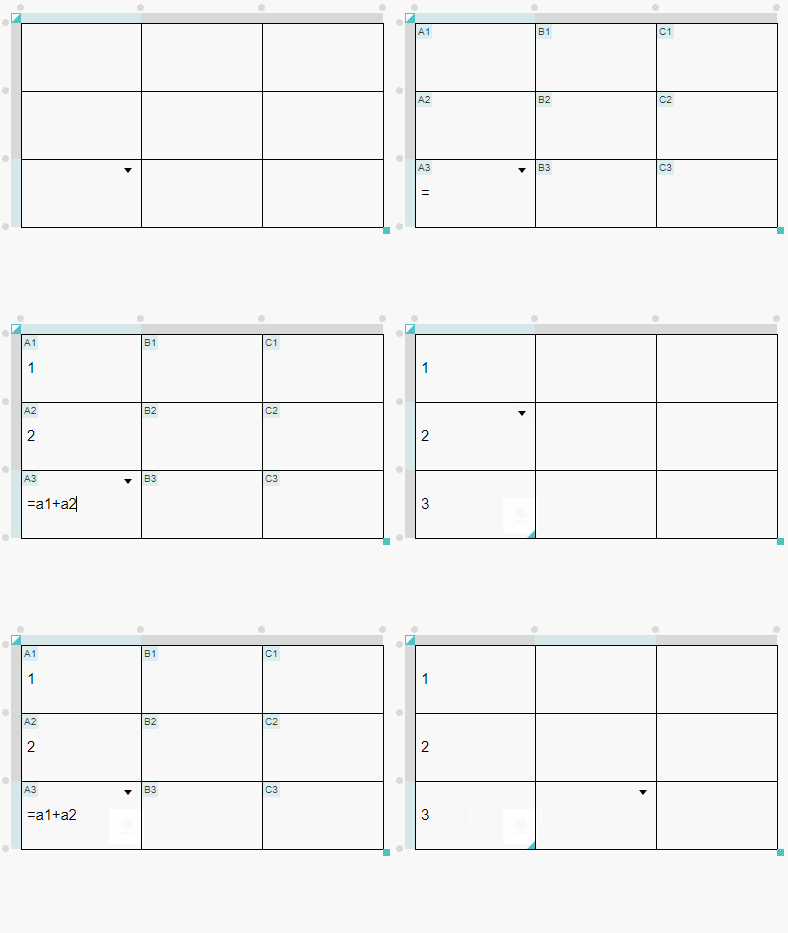
...
- 수식 계산된 셀로 캐럿 이동하면, 입력된 함수(또는 계산식)이 표시됩니다.
- 이 때 캐럿은 항상 셀의 제일 앞으로 이동합니다.
...
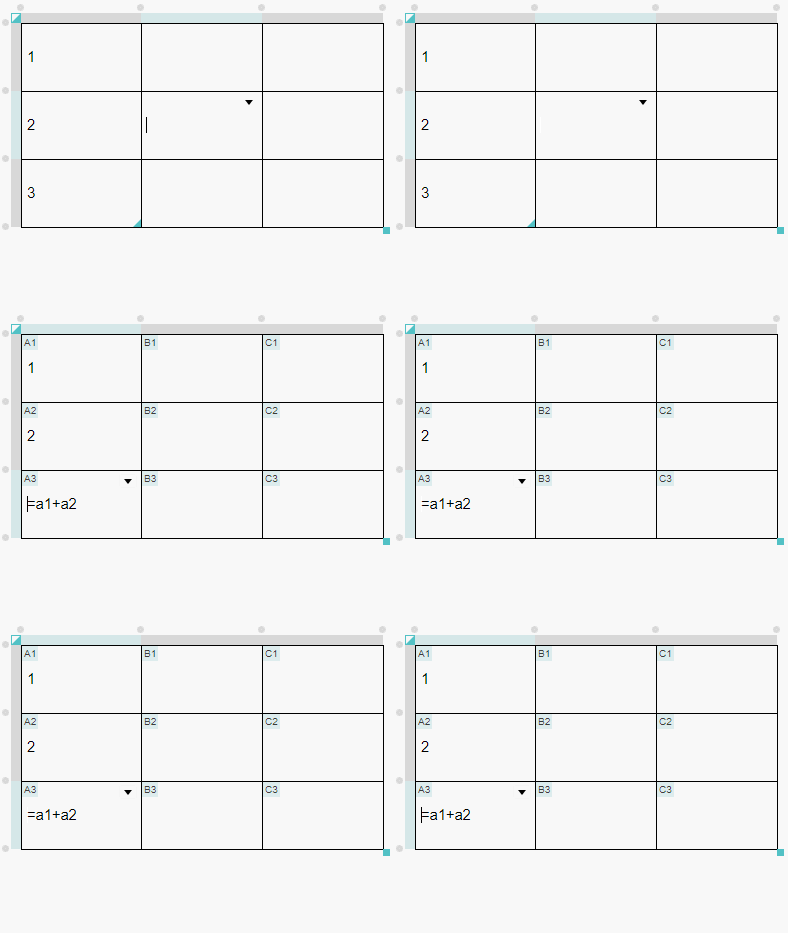
...
- 탭(Tab), 언탭(Shift + Tab) 이동시 함수가 입력된 셀의 경우 합수입력모드로 변경되고 다른 셀로 하면 다시 계산결과가 표시됩니다.
...
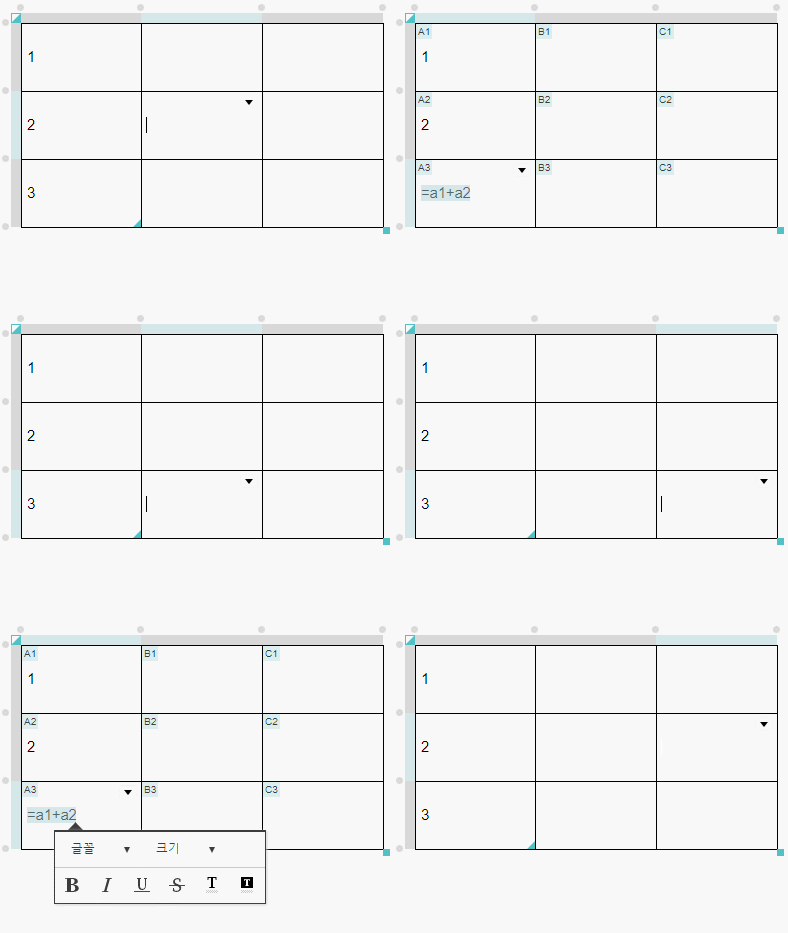
...
- 함수(또는 계산식)을 제외한 다른 객체(표, 가로줄, 이미지, 비디오 등)가 셀에 포함된다면 계산식이 처리되지 않습니다.
...
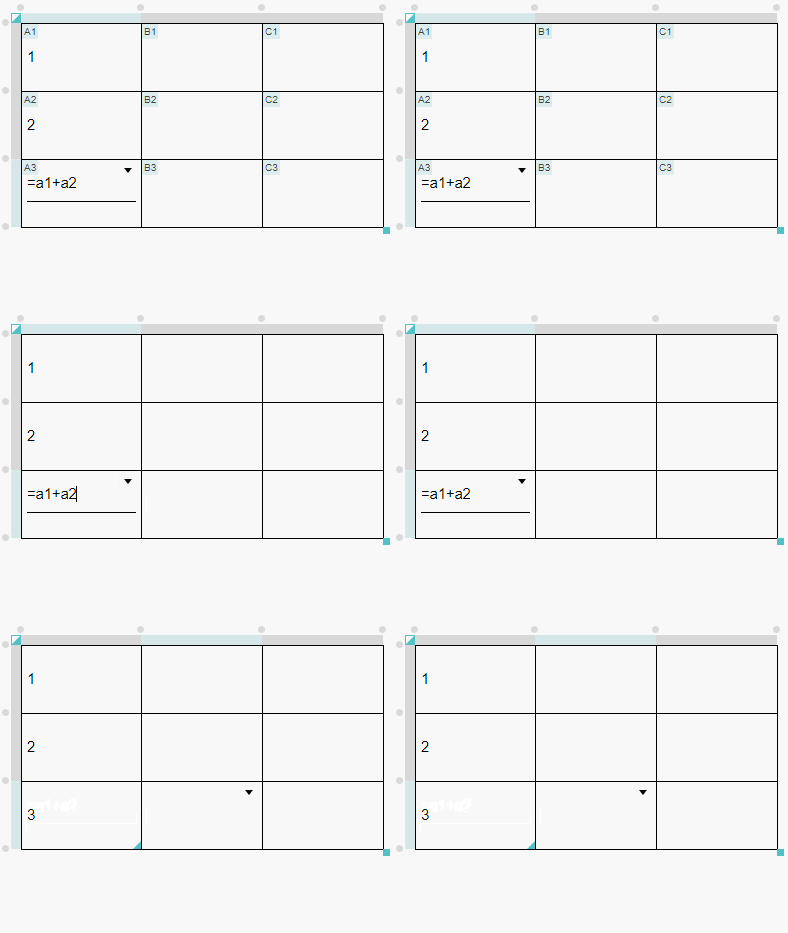
...
- 일반 텍스트를 제외한 속성(탭, 줄나눔, 하이퍼링크)이 포함된다면 계산식이 처리되지 않습니다.
...
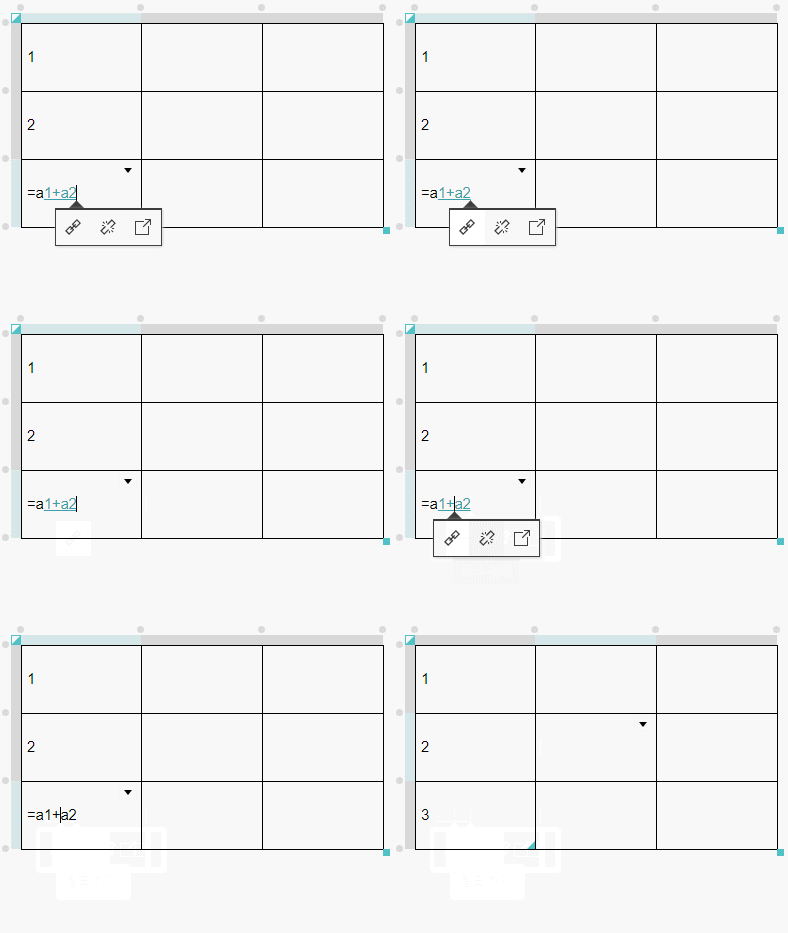
...
- 글머리기호, 인용기호 포함되면 계산식이 처리되지 않습니다.
...
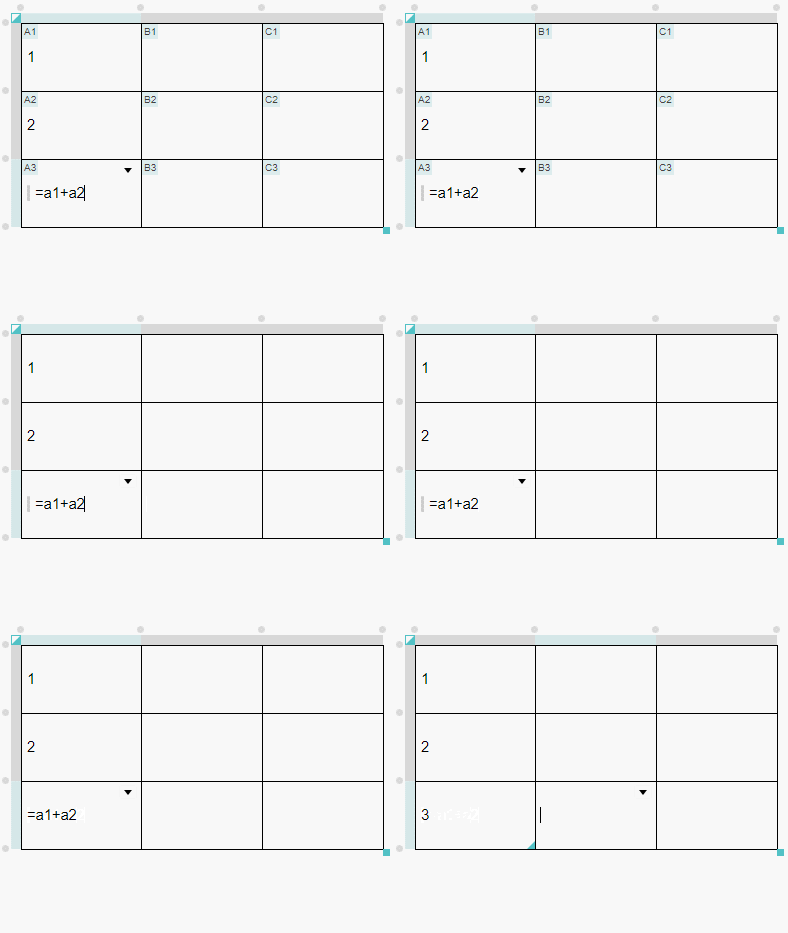
...
- 함수(또는 계산식)로 처리된 셀로는 객체(이미지, 비디오, 표 등)를 이동 할 수 없습니다.
...
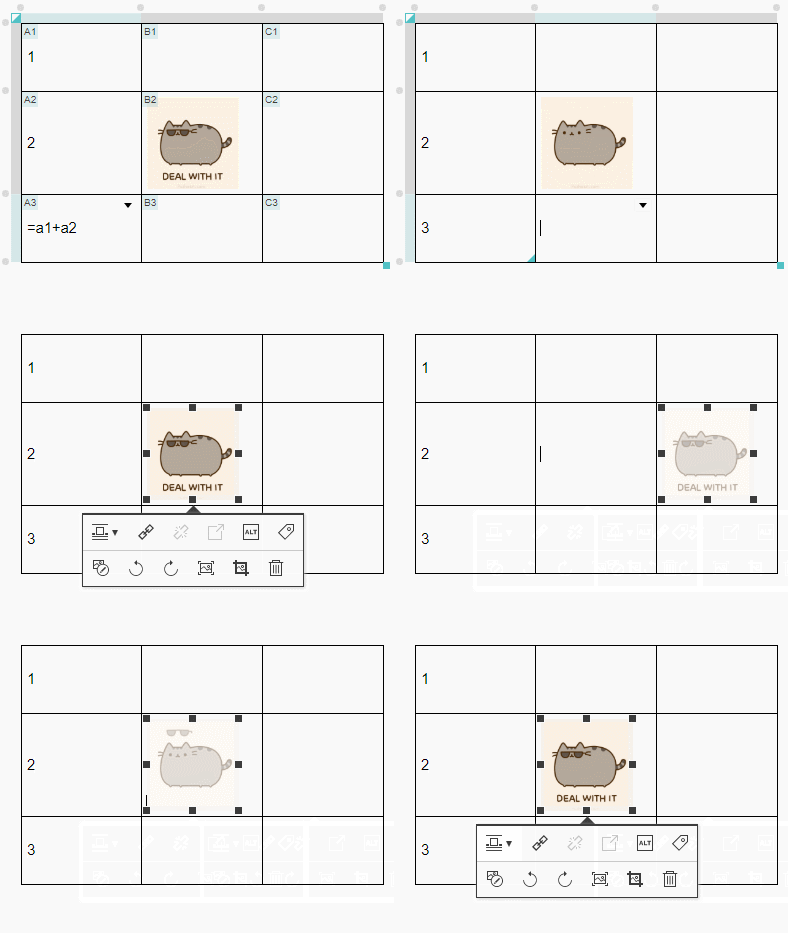
...
For the list of available functions, please refer to "Supported Functions" page.
| Description | Example |
|---|---|
Caution) |
|
|
|
|
|
|
|
|
|
|
|
|
|
|
|
|
|
Experience
| HTML |
|---|
<!-- jQuery -->
<script src="https://code.jquery.com/jquery-3.3.1.js"></script>

<!-- formular parser -->
<script type="text/javascript" src='https://synapeditor.com/se/resource/synapeditor/externals/formulaParser/formula-parser.min.js'></script>

<!-- Synap Editor -->
<script src='https://synapeditor.com/se/resource/synapeditor.config.js'></script>
<script src='https://synapeditor.com/se/resource/synapeditor/synapeditor.min.js'></script>
<link href='https://synapeditor.com/se/resource/synapeditor/synapeditor.min.css' rel='stylesheet' type='text/css'>

<div style="background-color: #ffffff; width:99%; height:500px;">
        <div id="synapEditor">
        <table data-template-id="1" style="width: 540px; height: 270.406px;>
            <colgroup>
                <col style="width: 135px;">
                <col style="width: 135px;">
                <col style="width: 135px;">
                <col style="width: 135px;">
            </colgroup>
            <tbody>
                <tr style="height: 135.203px;">
                    <td style="padding: 5px; border-width: 1px; border-style: solid; border-color: rgb(0, 0, 0);">
                        <p style="margin: 0px;">
                            <span>1</span>
                        </p>
                    </td>
                    <td style="padding: 5px; border-width: 1px; border-style: solid; border-color: rgb(0, 0, 0);">
                        <p style="margin: 0px;">
                            <span>2</span>
                        </p>
                    </td>
                    <td style="padding: 5px; border-width: 1px; border-style: solid; border-color: rgb(0, 0, 0);">
                        <p style="margin: 0px;">
                            <span>3</span>
                        </p>
                    </td>
                    <td data-formula-text="sum(a1:c1)" style="padding: 5px; border-width: 1px; border-style: solid; border-color: rgb(0, 0, 0);">
                        <p style="margin: 0px;">
                            <span>6</span>
                        </p>
                    </td>
                </tr>
                <tr style="height: 135.203px;">
                    <td style="padding: 5px; border-width: 1px; border-style: solid; border-color: rgb(0, 0, 0);">
                        <p style="margin: 0px;">
                            <span>1</span>
                        </p>
                    </td>
                    <td style="padding: 5px; border-width: 1px; border-style: solid; border-color: rgb(0, 0, 0);">
                        <p style="margin: 0px;">
                            <span>2</span>
                        </p>
                    </td>
                    <td style="padding: 5px; border-width: 1px; border-style: solid; border-color: rgb(0, 0, 0);">
                        <p style="margin: 0px;">
                            <span>3</span>
                        </p>
                    </td>
                    <td data-formula-text="max(a2:c2)" style="padding: 5px; border-width: 1px; border-style: solid; border-color: rgb(0, 0, 0);">
                        <p style="margin: 0px;">
                            <span>3</span>
                        </p>
                    </td>
                </tr>
            </tbody>
        </table>
		</div>
</div>
<script>
		const config = Object.assign(synapEditorConfig, {
			"editor.license":"/se/resource/license.json",
			"editor.toolbar": ["new","table"],
			"editor.menu.show": false,
			"editor.import.maxSize": 10485760,
		    "editor.import.api": "/se/importDoc",
		    "editor.upload.maxSize": 3145728,
		    "editor.upload.image.api": "/se/uploadFile",
		    "editor.upload.video.api": "/se/uploadFile",
		    "editor.upload.file.api": "/se/uploadFile"
			});
		window.editor = new SynapEditor("synapEditor", config, document.getElementById('synapEditor').innerHTML);
</script> |
...