| Status | ||
|---|---|---|
|
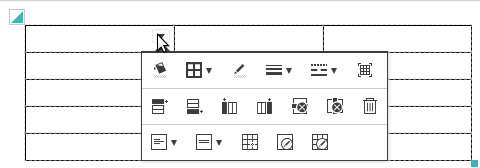
With 'editor.table.handle' 설정으로 표 핸들을 사용할지 여부를 설정합니다. (기본값 setting, you may determine whether you use table editing handle or not (default = true)false로 설정시 행, 열 선택 및 삽입 핸들이 사라지며, 풍선팝업에 행, 열 삽입버튼이 추가됩니다.
If you set it to false, the handles to insert and select columns and rows will disappear and Insert Row and Insert Column button will be added to balloon popup.
| Code Block | ||||||
|---|---|---|---|---|---|---|
| ||||||
{
	'editor.table.handle': true,
} |
표 편집 풍선팝업 설정 예시
| true ( | 기본default) | editor.table.handle :
|
|---|---|---|
| false |
|
|
|
|
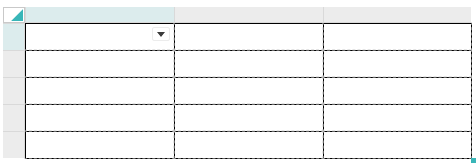
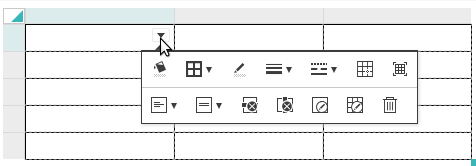
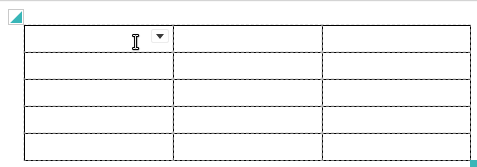
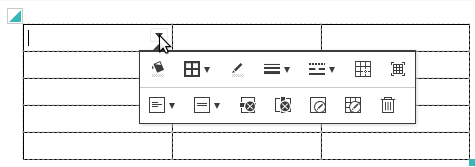
표 편집 핸들을 false로 설정한 경우 "표 편집 풍선팝업"에 행/열 추가 버튼 등 추가기능을 적용하시면 원한할 편집이 가능합니다. balloon popup 풍선팝업 설정을 참고하세요.
|
When you set the table editing handle to false and apply additional features like buttons to insert rows and columns to "Table Editing Balloon Popup", you can enjoy more efficient editing. Please refer to Balloon Popup Configuration.
| Result of Applying Table Editing Balloon Popup Configuration |
|---|
|