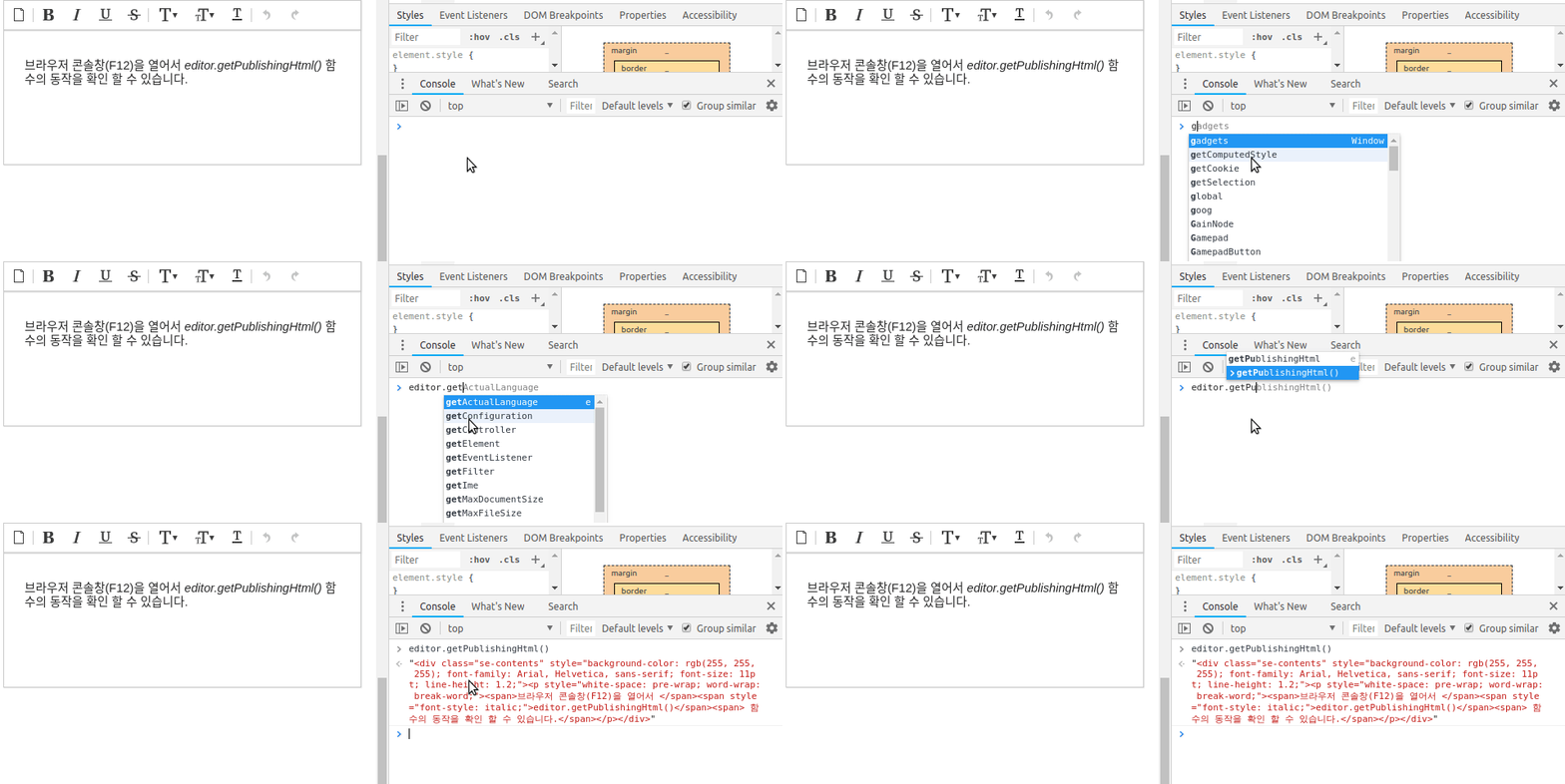
You may load the contents edited in Synap Editor through Javascript function as follows.
...
Check if editor.getPublishingHtml() function is working by opening the browser's console window (F12).
| HTML |
|---|
<!-- jQueryexternal modules --> <script type="text/javascript" src="'https://codewww.jquerysynapeditor.com/jquery-3.3.1.js"/se/resource/synapeditor/externals/formulaParser/formula-parser.min.js'></script> <!-- code mirror --> <script type="text/javascript" src='https://www.synapeditor.com/se/resource/synapeditor/externals/codeMirrorSEDocModelParser/codemirrorSEDocModelParser.min.js'></script> <script type="text/javascript" src="'https://www.synapeditor.com/se/resource/synapeditor/externals/codeMirrorSEShapeManager/xmlSEShapeManager.min.js"'></script> <link<script rel='stylesheet' hreftype="text/javascript" src='https://www.synapeditor.com/se/resource/synapeditor/externals/codeMirror/codemirror.min.css'> <!-- formular parser --> js'></script> <script type="text/javascript" src='"https://www.synapeditor.com/se/resource/synapeditor/externals/formulaParsercodeMirror/formula-parserxml.min.js'"></script> <link rel='stylesheet' href='https://www.synapeditor.com/se/resource/synapeditor/externals/codeMirror/codemirror.min.css'> <!-- Synap Editor --> <script src='https://www.synapeditor.com/se/resource/synapeditor/synapeditor.config_en.js'></script> <script src='https://www.synapeditor.com/se/resource/synapeditor/synapeditor.min.js'></script> <link href='https://www.synapeditor.com/se/resource/synapeditor/synapeditor.min.css' rel='stylesheet' type='text/css'> <!-- tui Image Editor --> <script type="text/javascript" src='https://synapeditor.com/se/resource/synapeditor/plugins/tuiImageEditor/tuiImageEditor.min.js'></script> <link rel='stylesheet' href='https://synapeditor.com/se/resource/synapeditor/plugins/tuiImageEditor/tuiImageEditor.min.css'> <div style="background-color: #ffffff; width:99%; height:200px;"> <div id="synapEditor"> <p> <span>You may check if <em>editor.getPublishingHtml()</em> function is working by opening the browser's console window (F12). </p> </div> </div> <script> window.editor = new SynapEditor("synapEditor", synapEditorConfig, document.getElementById('synapEditor').innerHTML); </script> |
...