...
For the list of available functions, please refer to "Supported Functions" page.
| Description | Example |
|---|---|
주의) |
|
Note: |
|
|
|
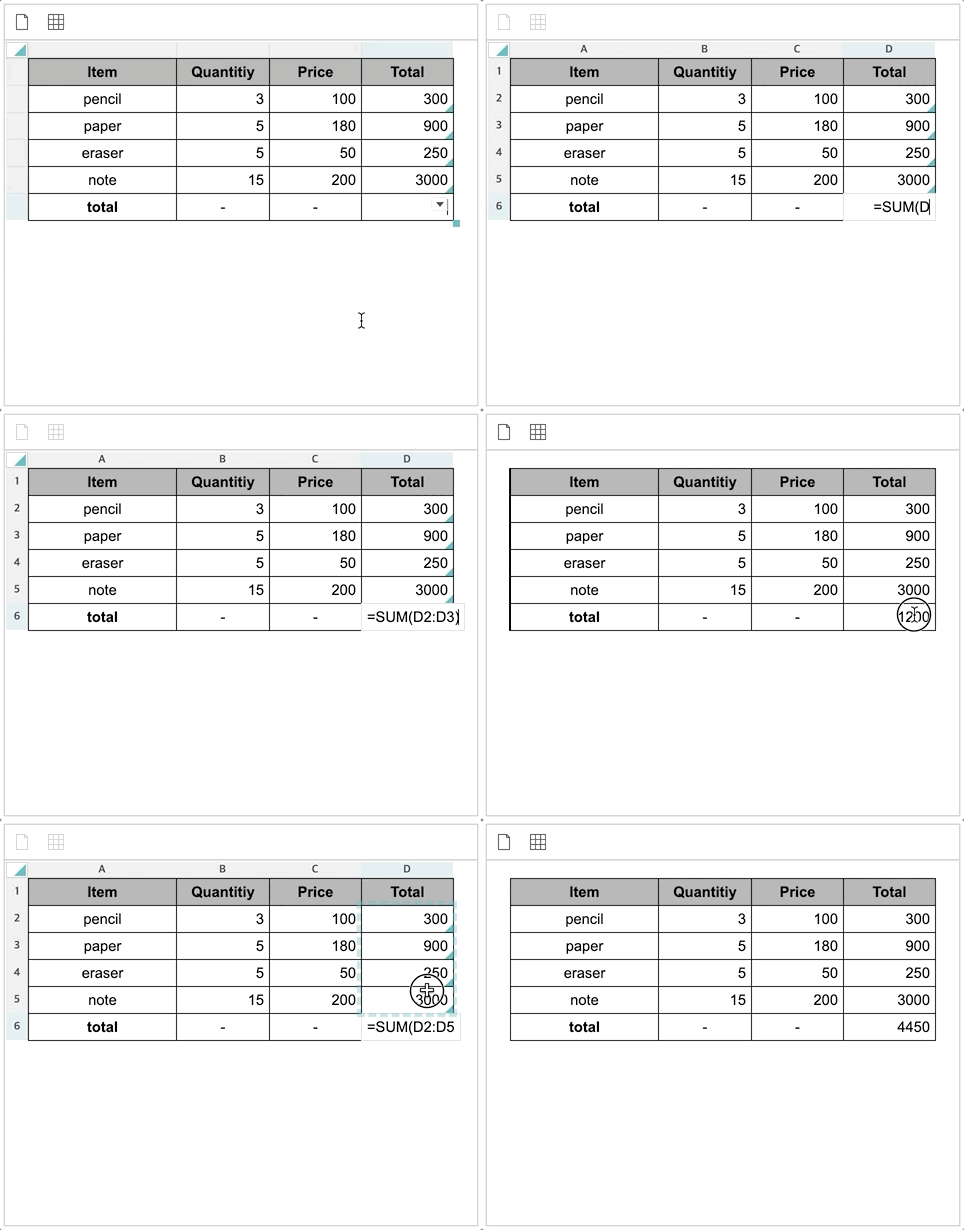
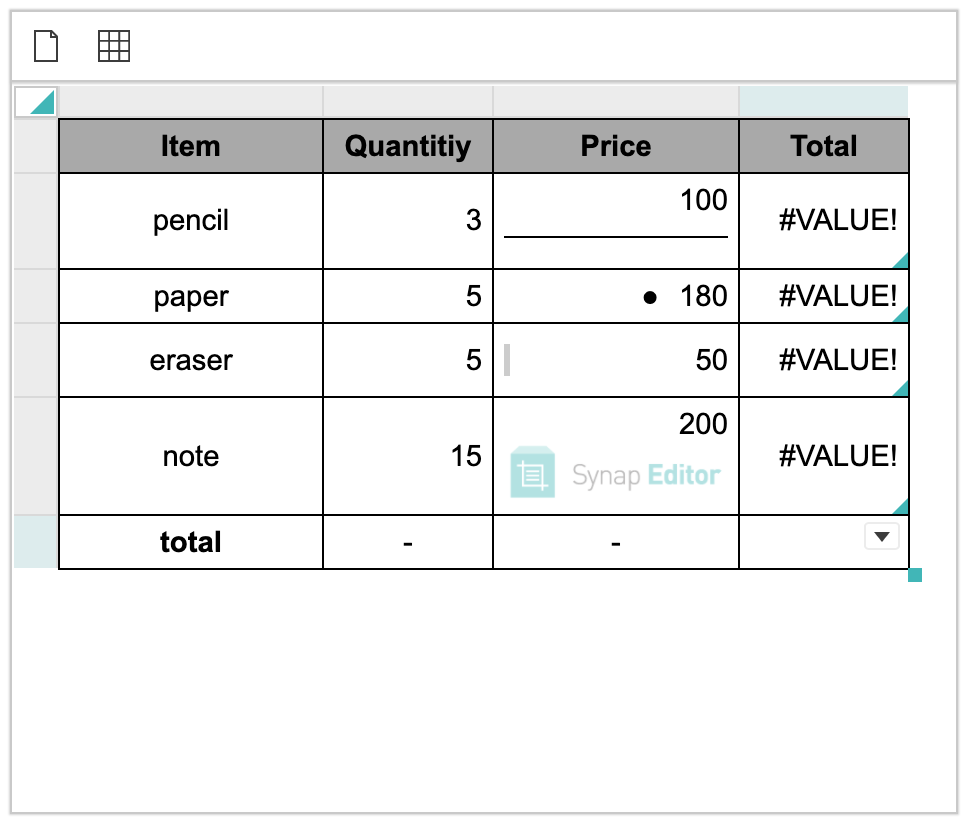
Experiencing
| HTML |
|---|
<!-- external modules --> <script type="text/javascript" src='https://www.synapeditor.com/se/resource/synapeditor/externals/formulaParser/formula-parser.min.js'></script> <script type="text/javascript" src='https://www.synapeditor.com/se/resource/synapeditor/externals/SEDocModelParser/SEDocModelParser.min.js'></script> <script type="text/javascript" src='https://www.synapeditor.com/se/resource/synapeditor/externals/SEShapeManager/SEShapeManager.min.js'></script> <script type="text/javascript" src='https://www.synapeditor.com/se/resource/synapeditor/externals/codeMirror/codemirror.min.js'></script> <script type="text/javascript" src="https://www.synapeditor.com/se/resource/synapeditor/externals/codeMirror/xml.min.js"></script> <link rel='stylesheet' href='https://www.synapeditor.com/se/resource/synapeditor/externals/codeMirror/codemirror.min.css'> <!-- Synap Editor --> <script src='https://www.synapeditor.com/se/resource/synapeditor/synapeditor.config_en.js'></script> <script src='https://www.synapeditor.com/se/resource/synapeditor/synapeditor.min.js'></script> <link href='https://www.synapeditor.com/se/resource/synapeditor/synapeditor.min.css' rel='stylesheet' type='text/css'> <div style="background-color: #ffffff; width:99%; height:500px;">' type='text/css'> <div style="background-color: #ffffff; width:99%; height:500px;"> <div id="synapEditor"> <table style="vertical-align: text-bottom; border-collapse: collapse; line-height: normal; width: calc(100% - 0px); word-break: break-all;" data-template-id="13"> <colgroup> <col style="width: 34.770114942528735%;"> <col style="width: 21.743295019157088%;"> <col style="width: 21.743295019157088%;"> <col style="width: 21.743295019157088%;"> </colgroup> <tbody> <tr> <th style="background-color: rgb(169, 169, 169); text-align: center; padding: 5px; border-color: rgb(0, 0, 0); border-style: solid; border-width: 1px; word-break: break-word;" scope="col"> <p style="margin: 0px; display: block; overflow-wrap: break-word;"><span>Item</span></p> </th> <th style="background-color: rgb(169, 169, 169); text-align: center; padding: 5px; border-color: rgb(0, 0, 0); border-style: solid; border-width: 1px; word-break: break-word;" scope="col"> <p style="margin: 0px; display: block; overflow-wrap: break-word;"><span>Quantitiy</span></p> </th> <th style="background-color: rgb(169, 169, 169); text-align: center; padding: 5px; border-color: rgb(0, 0, 0); border-style: solid; border-width: 1px; word-break: break-word;" scope="col"> <p style="margin: 0px; display: block; overflow-wrap: break-word;"><span>Price</span></p> </th> <th style="background-color: rgb(169, 169, 169); text-align: center; padding: 5px; border-color: rgb(0, 0, 0); border-style: solid; border-width: 1px; word-break: break-word;" scope="col"> <p style="margin: 0px; display: block; overflow-wrap: break-word;"><span>Total</span></p> </th> </tr> <tr> <td style="text-align: center; padding: 5px; border-color: rgb(0, 0, 0); border-style: solid; border-width: 1px; word-break: break-word;"> <p style="margin: 0px; display: block; overflow-wrap: break-word;"><span>pencil</span></p> </td> <td style="text-align: right; padding: 5px; border-color: rgb(0, 0, 0); border-style: solid; border-width: 1px; word-break: break-word;"> <p style="margin: 0px; display: block; overflow-wrap: break-word;"><span>3</span></p> </td> <td style="text-align: right; padding: 5px; border-color: rgb(0, 0, 0); border-style: solid; border-width: 1px; word-break: break-word;"> <p style="margin: 0px; display: block; overflow-wrap: break-word;"><span>100</span></p> </td> <td style="text-align: right; padding: 5px; border-color: rgb(0, 0, 0); border-style: solid; border-width: 1px; word-break: break-word;" data-formula-text="product(B2,C2)"> <p style="text-align: right; margin: 0px; display: block; overflow-wrap: break-word;"> <span>300</span></p> </td> </tr> <tr> <td style="text-align: center; padding: 5px; border-color: rgb(0, 0, 0); border-style: solid; border-width: 1px; word-break: break-word;"> <p style="margin: 0px; display: block; overflow-wrap: break-word;"><span>paper</span></p> </td> <td style="text-align: right; padding: 5px; border-color: rgb(0, 0, 0); border-style: solid; border-width: 1px; word-break: break-word;"> <p style="margin: 0px; display: block; overflow-wrap: break-word;"><span>5</span></p> </td> <td style="text-align: right; padding: 5px; border-color: rgb(0, 0, 0); border-style: solid; border-width: 1px; word-break: break-word;"> <p style="margin: 0px; display: block; overflow-wrap: break-word;"><span>180</span></p> </td> <div<td idstyle="synapEditor"> <table data-template-id="1" style="width: 540px; height: 270.406px;text-align: left; padding: 5px; border-color: rgb(0, 0, 0); border-style: solid; border-width: 1px; word-break: break-word;" data-formula-text="product(B3,C3)"> <colgroup> <p style="text-align: right; margin: 0px; display: <col style="width: 135pxblock; overflow-wrap: break-word;"> <col style="width: 135px;"> <span>900</span></p> <col style="width: 135px;"> </td> <col style="width: 135px;"> </tr> </colgroup><tr> <tbody> <td style="text-align: center; padding: 5px; border-color: rgb(0, 0, 0); border-style: solid; border-width: <tr style="height: 135.203px1px; word-break: break-word;"> <td<p style="paddingmargin: 5px0px; border-widthdisplay: 1pxblock; borderoverflow-stylewrap: solid; border-color: rgb(0, 0, 0);">break-word;"><span>eraser</span></p> </td> <p style="margin: 0px;"> <td style="text-align: right; padding: 5px; border-color: rgb(0, 0, 0); border-style: solid; border-width: 1px; word-break: break-word;"> <span>1</span> <p style="margin: 0px; display: block; </p> overflow-wrap: break-word;"><span>5</span></p> </td> <td style="text-align: right; padding: 5px; border-width: 1pxcolor: rgb(0, 0, 0); border-style: solid; border-colorwidth: rgb(0, 0, 0)1px; word-break: break-word;"> <p style="margin: 0px;"> display: block; overflow-wrap: break-word;"><span>50</span></p> <span>2</span> </td> </p> <td style="text-align: left; padding: 5px; border-color: rgb(0, 0, 0); border-style: solid; border-width: 1px; word-break: </td>break-word;" data-formula-text="product(B4,C4)"> <td<p style="paddingtext-align: 5pxright; border-widthmargin: 1px0px; border-styledisplay: solidblock; borderoverflow-colorwrap: rgb(0, 0, 0)break-word;"> <p style="margin: 0px;"> <span>250</span></p> </td> <span>3</span> </tr> <tr> </p> <td style="text-align: center; padding: 5px; border-color: rgb(0, 0, 0); border-style: solid; border-width: </td> 1px; word-break: break-word;"> <td data-formula-text="sum(a1:c1)" <p style="paddingmargin: 5px0px; border-widthdisplay: 1pxblock; borderoverflow-stylewrap: solid; border-color: rgb(0, 0, 0);"> break-word;"><span>note</span></p> </td> <p style="margin: 0px;"> <td style="text-align: right; padding: 5px; border-color: rgb(0, 0, 0); border-style: solid; border-width: 1px; word-break: break-word;"> <span>6</span> <p style="margin: 0px; display: block; </p> overflow-wrap: break-word;"><span>15</span></p> </td> </tr> <tr style="height: 135.203px<td style="text-align: right; padding: 5px; border-color: rgb(0, 0, 0); border-style: solid; border-width: 1px; word-break: break-word;"> <td<p style="paddingmargin: 5px0px; border-widthdisplay: 1pxblock; border-style: solid; border-color: rgb(0, 0, 0);">overflow-wrap: break-word;"><span>200</span></p> </td> <p style="margin: 0px;"> <td style="text-align: left; padding: 5px; border-color: rgb(0, 0, 0); border-style: solid; border-width: 1px; word-break: break-word;" data-formula-text="product(B5,C5)"> <span>1</span> <p style="text-align: right; margin: 0px; display: block; </p>overflow-wrap: break-word;"> </td> <span>3000</span></p> <td style="padding: 5px; border-width: 1px; border-style: solid; border-color: rgb(0, 0, 0);"> </td> </tr> <tr> <p style="margin: 0px;"> <td style="text-align: center; padding: 5px; border-color: rgb(0, 0, 0); border-style: solid; border-width: 1px; word-break: break-word;"> <span>2</span> <p style="margin: 0px; display: </p> block; overflow-wrap: break-word;"><span style="font-weight: bold;">total</span></p> </td> <td style="text-align: right; padding: 5px; border-width: 1pxcolor: rgb(0, 0, 0); border-style: solid; border-colorwidth: rgb(0, 0, 0)1px; word-break: break-word;"> <p style="text-align: center; margin: 0px; display: block; overflow-wrap: break-word;"> <span>-</span></p> <span>3</span></td> <td style="text-align: right; padding: 5px; border-color: rgb(0, 0, 0); border-style: solid; border-width: 1px; word-break: </p>break-word;"> </td> <p style="text-align: center; margin: 0px; display: block; overflow-wrap: break-word;"> <td data-formula-text="max(a2:c2)" style="padding: 5px; border-width: 1px; border-style: solid; border-color: rgb(0, 0, 0);"> <span>-</span></p> </td> <p style="margin: 0px;"> <td style="text-align: left; padding: 5px; border-color: rgb(0, 0, 0); border-style: solid; border-width: 1px; word-break: break-word;"> <span>3</span> <p style="text-align: right; margin: 0px; display: block; </p> overflow-wrap: break-word;"><br></p> </td> </tr> </tbody> </table> </div> </div> <script> const config = Object.assign(synapEditorConfig, { "editor.license":"/se/resource/license.json", "editor.toolbar": ["new","table"], "editor.menu.show": false, "editor.import.maxSize": 10485760, "editor.import.api": "/se/importDoc", "editor.upload.maxSize": 3145728, "editor.upload.image.api": "/se/uploadFile", "editor.upload.video.api": "/se/uploadFile", "editor.upload.file.api": "/se/uploadFile" }); window.editor = new SynapEditor("synapEditor", config, document.getElementById('synapEditor').innerHTML); </script> |
...