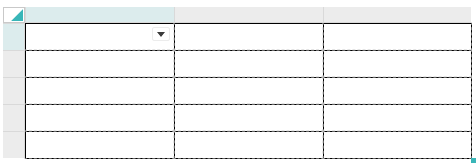
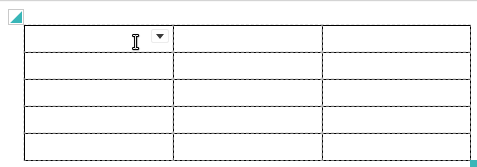
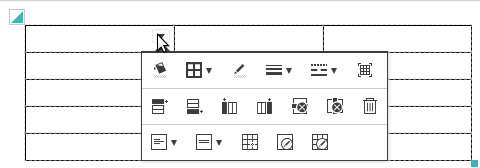
By 'editor.table.handle' configuration, you can choose whether you use table editing handle or not. (default = true)
'editor.table.handle' 설정으로 표 핸들을 사용할지 여부를 설정합니다. (기본값 = true)
If you set false, the handle of column and row will be disappeared and added to balloon popup.
false로 설정시 행, 열 선택 및 삽입 핸들이 사라지며, 풍선팝업에 행, 열 삽입버튼이 추가됩니다.
{
	'editor.table.handle': true,
} |
| editor.table.handle : true (default) | editor.table.handle : false |
|---|---|
|
|
|
|
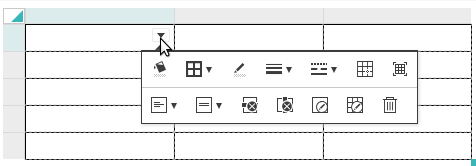
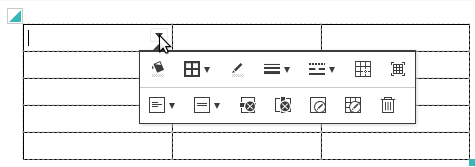
When you set false and apply additional functions like 'insert button' for column and row, you can edit more efficiently. Refer to configuration for balloon popup.
표 편집 핸들을 false로 설정한 경우 "표 편집 풍선팝업"에 행/열 추가 버튼 등 추가기능을 적용하시면 원한할 편집이 가능합니다. Balloon Popup Configuration을 참고하세요.
| 표 편집 풍선팝업 설정 예시 |
|---|
|