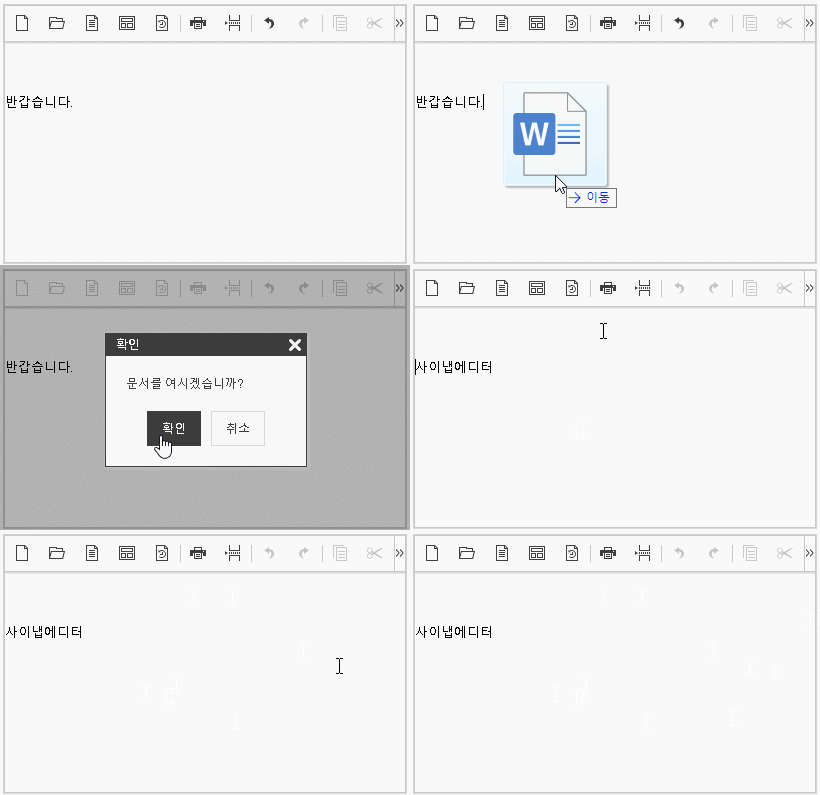
'editor.import.api', 'editor.upload.image.api', 'editor.upload.video.api', 'editor.upload.file.api' 키를 사용하여 업로드 및 임포트 API를 설정합니다.
이 때 서버쪽 API (URL)는 Back-end 구현에 따라 변경해야 합니다. 자세한 사항은 서버연동 매뉴얼을 참고합니다.
{
	'editor.import.maxSize': 10485760,
	'editor.import.api': '/importDoc',
	'editor.import.param': {},
	'editor.upload.maxSize': 3145728,
	'editor.upload.image.api': '/uploadImage',
	'editor.upload.image.param': {},
	'editor.upload.video.api': '/uploadVideo',
	'editor.upload.video.param': {},
	'editor.upload.file.api': '/uploadFile',
	'editor.upload.file.param': {},
} |
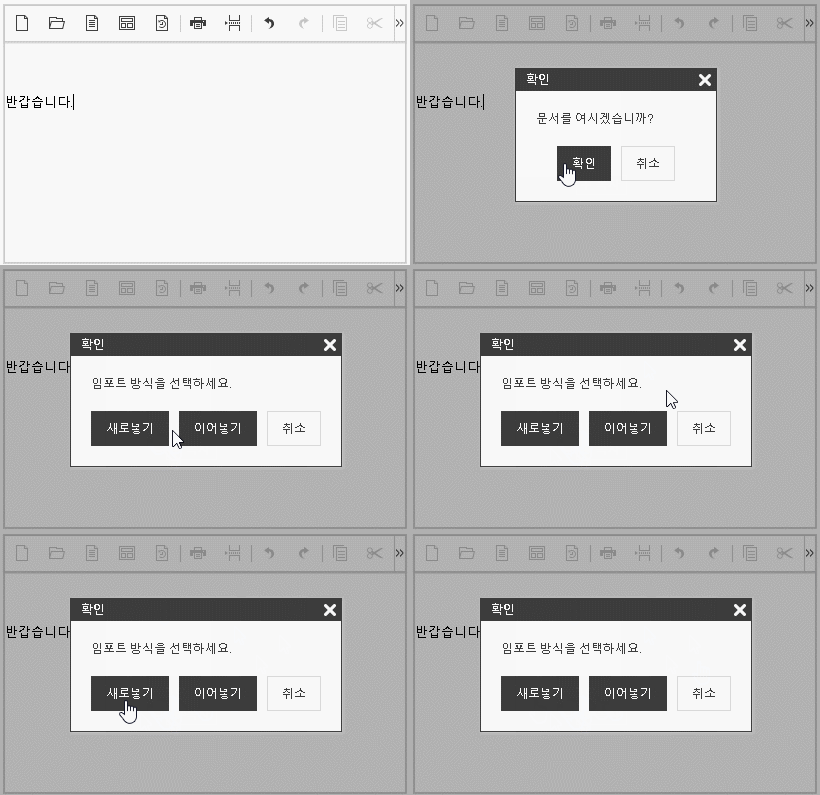
'editor.import.alwaysOverwriting' 옵션을 설정하여 이어넣기/새로넣기 확인 메세지 없이 항상 새로넣도록 설정합니다. (기본값 = false)
{
	'editor.import.alwaysOverwriting': false
} |
| editor.import.alwaysOverwriting: true | editor.import.alwaysOverwriting: false (기본) |
|---|---|
|
|
'editor.import.fileFiledName', 'editor.upload.image.fileFiledName', 'editor.upload.video.fileFiledName', 'editor.upload.file.fileFiledName' 키를 사용하여 업로드 및 임포트시 formData에 fieldName을 설정 합니다.
{
    'editor.import.fileFieldName': 'file',
    'editor.upload.image.fileFieldName': 'file',
    'editor.upload.video.fileFieldName': 'file',
    'editor.upload.file.fileFieldName': 'file'
} |
'editor.upload.image.extensions', 'editor.upload.video.extensions', 'editor.upload.file.extensions' 키를 사용해 업로드 가능 확장자를 설정할 수 있습니다.
{
	'editor.upload.image.extensions': ['jpg', 'gif', 'png', 'jpeg'],
	'editor.upload.video.extensions': ['mp4', 'ogg', 'webm'],
	'editor.upload.file.extensions': ['bmp', 'css', 'csv', 'diff', 'doc',
									'docx', 'eof', 'gif', 'jpeg', 'jpg',
									'json', 'mp3', 'mp4', 'm4a', 'odp',
									'ods', 'odt', 'ogg', 'otf', 'patch',
									'pdf', 'png', 'ppt', 'pptx', 'rtf',
									'svg', 'swf', 'textile', 'tif', 'tiff',
									'ttf', 'txt', 'wav', 'webm', 'woff',
									'xls', 'xlsx', 'xml', 'md', 'vtt',
									'hwp', 'hml', 'html']
} |
'editor.upload.image.base64' 설정으로 이미지 업로드 시 base64를 사용할 것인지를 설정합니다. (기본값 = false)
true로 설정이 이미지 업로드 후 base64로 이미지가 표현됩니다.
{
	'editor.upload.image.base64': false,
} |