릴리즈 3.2.0 이상 릴리즈 2.20.0 이상
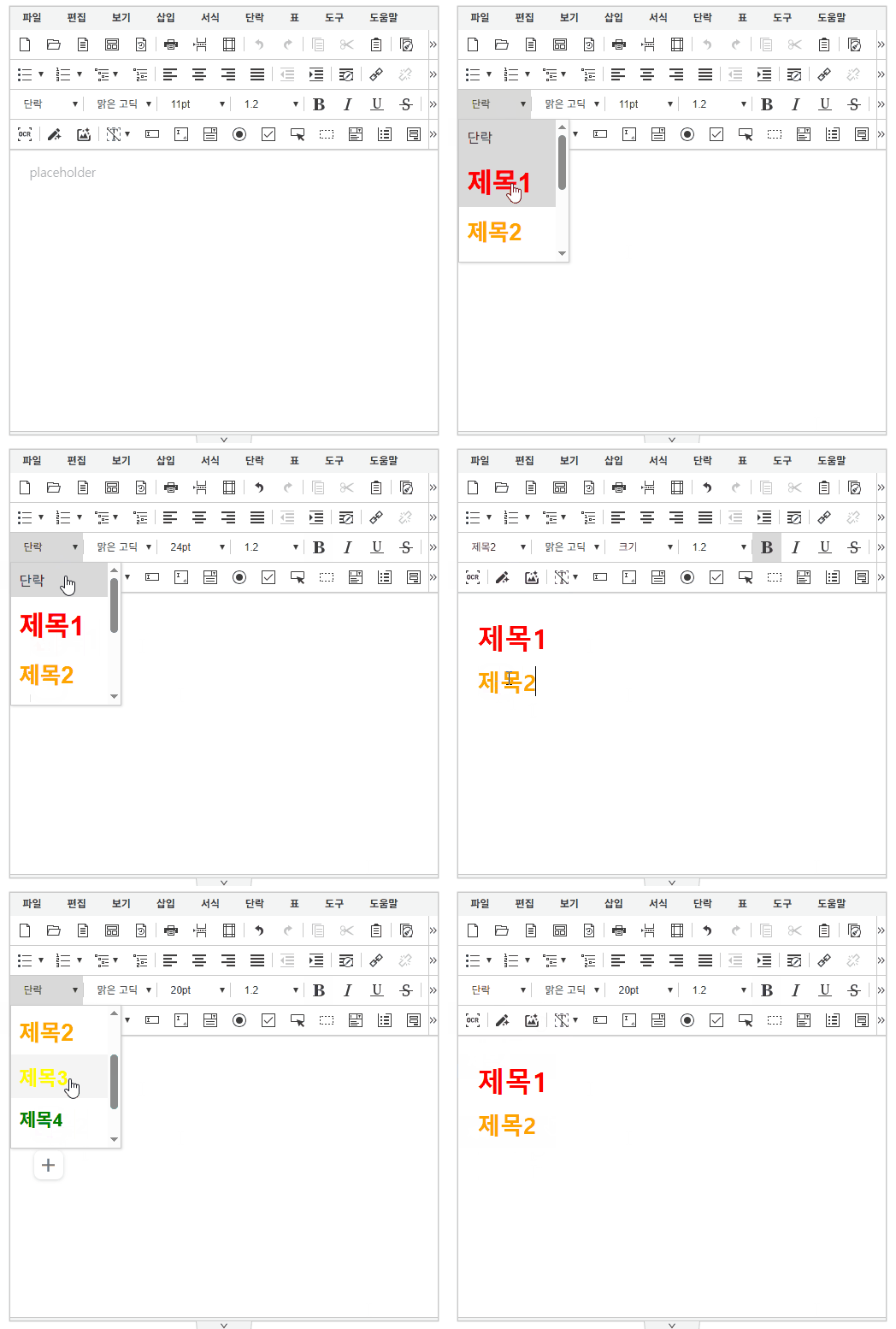
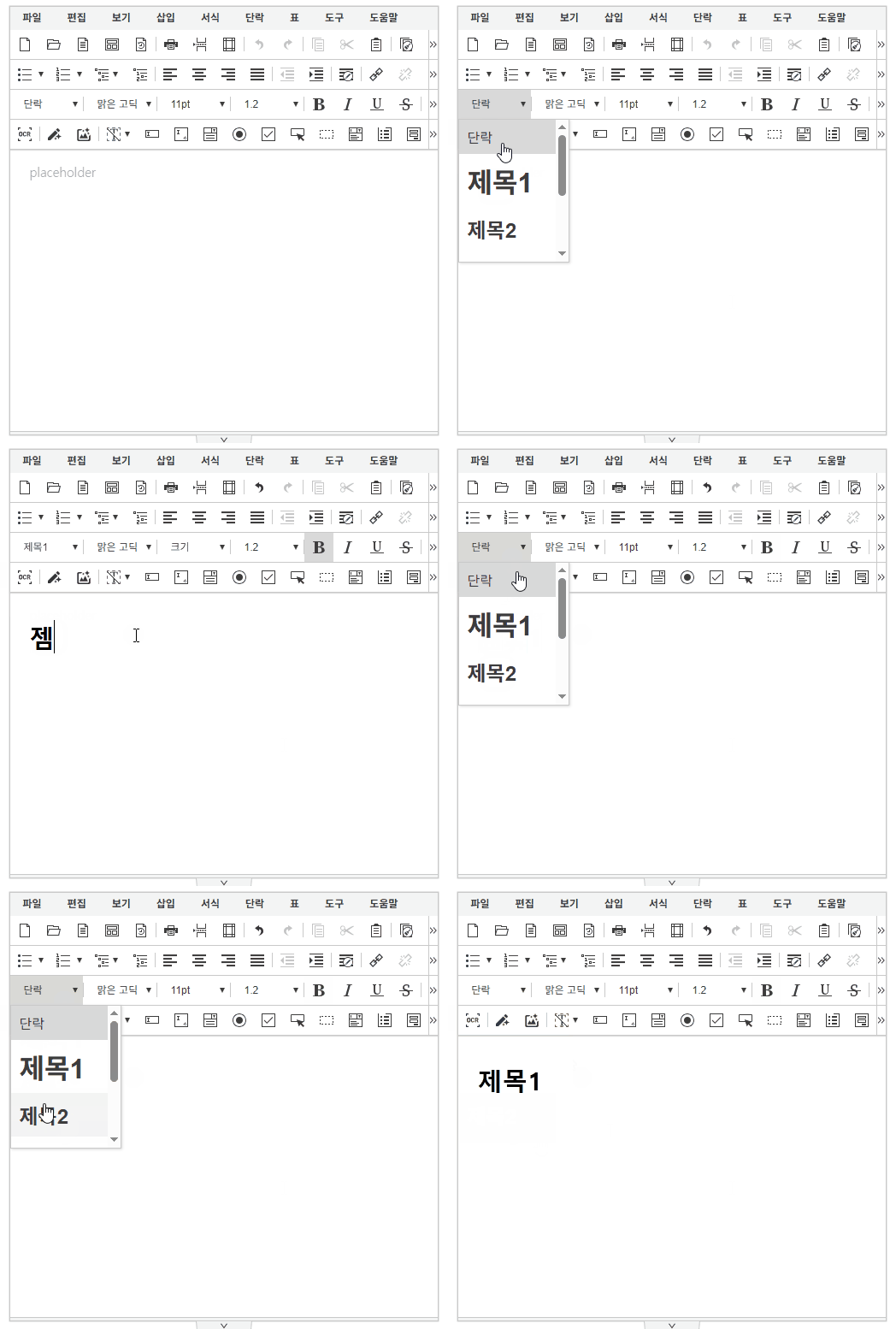
'editor.titleStyle' 설정을 통해 각 제목(H1~H6)의 className과 style을 커스터마이징할 수 있습니다.
이 설정에 등록된 className은 문단 요소에 적용된 경우에만 유효하며, 해당 문단이 목차 추출 시 제목 요소로 인식되어 목차 모델에 포함됩니다.
에디터 문단 요소
- <h1>, <h2>, <h3>, <h4>, <h5>, <h6>, <p>
- <div class="se-para-div">...</div>
synapeditor.config.js
/**
 * 제목(H1~H6)의 클래스와 스타일을 설정합니다.
 * ex) {
			H1: { style: 'font-size: 24pt; font-weight: bold; color: red;', className: 'h1' },
			H2: { style: 'font-size: 20pt; font-weight: bold; color: orange;', className: 'h2' },
			H3: { style: 'font-size: 18pt; font-weight: bold; color: yellow;', className: 'h3' },
			H4: { style: 'font-size: 16pt; font-weight: bold; color: green;', className: 'h4' },
			H5: { style: 'font-size: 14pt; font-weight: bold; color: blue;', className: 'h5' },
			H6: { style: 'font-size: 11pt; font-weight: bold; color: purple;', className: 'h6' }
		}
 */
{
	'editor.titleStyle': {}
}
'editor.titleStyle': { H1: { style: 'font-size: 24pt; font-weight: bold; color: red;', className: 'h1' }, } | 'editor.titleStyle': {} (기본값) |
|---|---|
|
|