xhtml4pubdoc
Release 2.11.5 and above.
Returns an HTML string with the government electronic document filter applied.
Parameters:
<table> <thead> <tr><th>Name</th><th>Type</th><th>Attribute</th><th>Description</th></tr> </thead> <tbody> <tr> <td><code>options</code></td> <td>Object</td> <td>{
applyFirstTextStyle: string[]
}
[ Optional ] If the first character's tag (<span>) has a style, applies that style to the paragraph (<p>) tag.
ex) [ 'fontSize', 'fontFamily', 'color', 'backgroundColor', 'bold', 'italic', 'strike', 'underline' ]
Return:
| Type | Description |
|---|---|
| string | HTML string. |
Example:
var pubdoc = editor.xhtml4pubdoc();
var pubdocOption = editor.xhtml4pubdoc({ applyFirstTextStyle: ['fontSize', 'color'] }); // with options applied
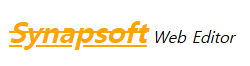
<div class="se-contents" style="font-family: Arial, Helvetica, sans-serif; font-size: 11pt; line-height: 1.2;">
    <p style="margin: 16px 0px; display: block; overflow-wrap: break-word;"><span style="font-weight: bold; font-style: italic; text-decoration: underline line-through; font-size: 16pt; color: rgb(246, 179, 127);">Synapsoft</span><span style="font-style: italic;"> Web Editor</span></p>
</div>

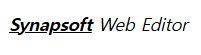
<p style="margin: 16px 0px; display: block; overflow-wrap: break-word;">
    <u><b><i>Synapsoft</i></b></u>
    <i> Web Editor</i>
</p>
<p style="font-size: 16pt; color: rgb(246, 179, 127); margin: 16px 0px; display: block; overflow-wrap: break-word;">
    <u><b><i>Synapsoft</i></b></u>
    <i> Web Editor</i>
</p>